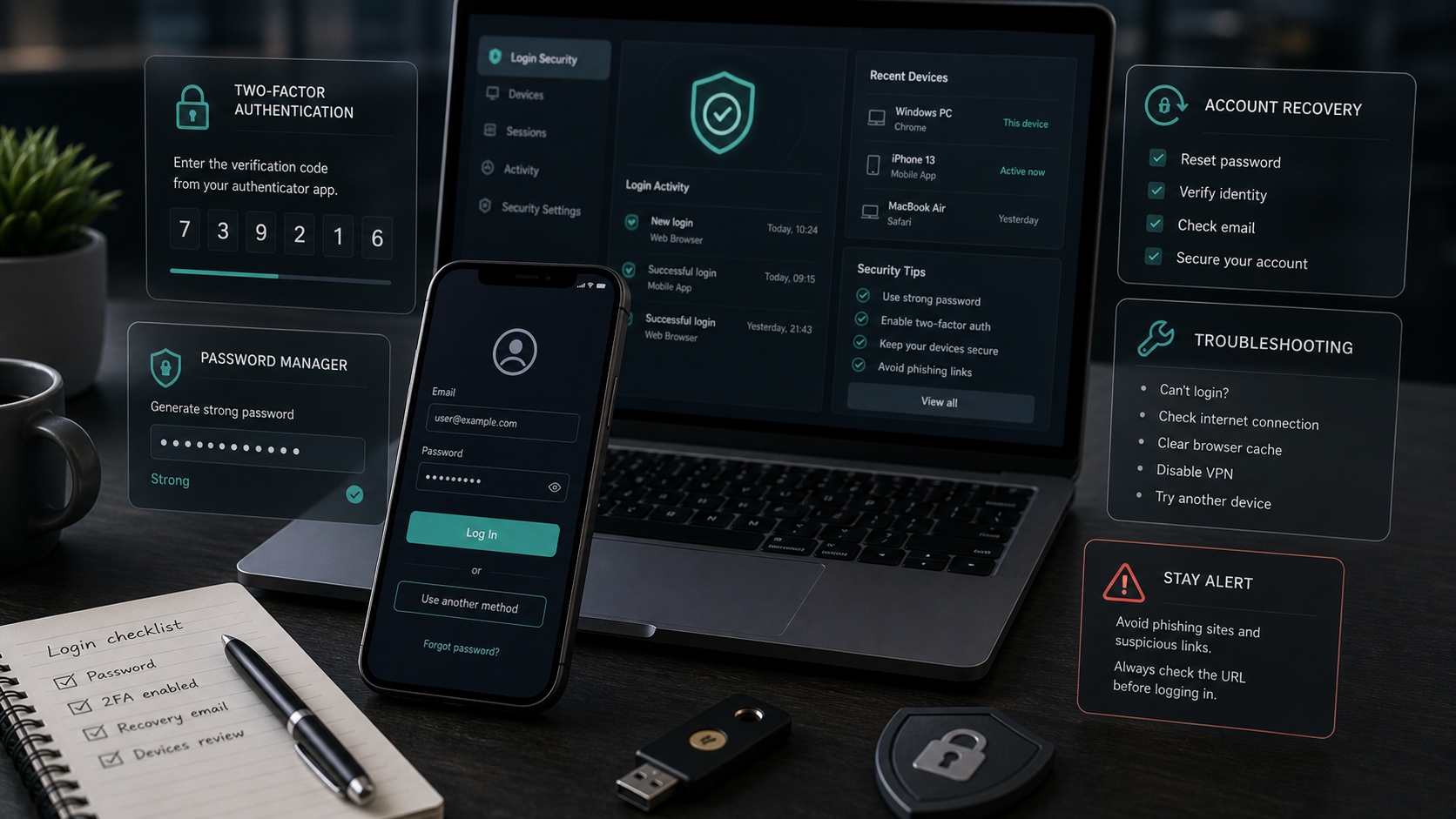
In the highly competitive market of speculative retail trading, establishing a secure connection to your broker's terminal is the critical first step in safeguarding your capital. As online platforms migrate to increasingly complex web architectures, the entry point—the login gateway—remains the primary target for malicious cyber threats. For users of Binomo, a widely popular short-term options broker serving international markets, maintaining rigorous security hygiene during the login process is paramount to preventing unauthorized access and protecting trading funds.
Regulatory Compliance & Capital Risk Warning
Trading speculative financial derivatives, such as digital options on Binomo, involves an exceptionally high level of capital risk. Up to 90% of retail investor accounts lose capital when trading these instruments. Binomo operates as an unregulated offshore trading brand, meaning your deposits are not protected by national compensation schemes, such as the UK's Financial Conduct Authority (FCA) or ESMA frameworks. Financial disputes cannot be escalated to government ombudsmen. You must never trade with capital you cannot afford to lose.
Many retail participants approach the login process casually, exposing themselves to serious threats like credential harvesting, phishing clones, and session hijacking. Furthermore, inadvertent violations of the broker's technical terms during login—such as accessing an account via public networks or using virtual private networks (VPNs)—can trigger automated fraud detection systems, leading to immediate account freezes. This comprehensive, expert-reviewed guide provides a detailed technical analysis of the Binomo login infrastructure, outlines a step-by-step security roadmap, and delivers actionable troubleshooting protocols to resolve common access errors.
1. The Technical Mechanics of Binomo Login Channels
Traders can access the Binomo terminal through three primary digital gateways: the standard web browser interface, the dedicated desktop terminal (web-wrapped), and mobile applications for iOS and Android. Each channel employs different network protocols and presents distinct security profiles. Selecting the correct gateway is crucial for optimizing both execution speed and security.
The table below provides an objective comparison of the primary login channels based on security infrastructure, average network latency, and ease of compliance:
| Access Channel | Encryption Protocol | Average Latency | Security Profile | Compliance Risk |
|---|---|---|---|---|
| Standard Web Browser | TLS 1.3 / HTTPS | 220ms - 350ms | Moderate (Vulnerable to extensions & DNS hijacking) | Low (No localized installation issues) |
| Mobile App (iOS/Android) | HTTPS + SSL Pinning | 150ms - 250ms | High (App sandboxing prevents credential leaks) | Moderate (Dynamic mobile IPs may trigger security flags) |
| Desktop Web-App | TLS 1.3 / Isolated API | 180ms - 280ms | High (Bypasses standard browser vulnerabilities) | Low (Static environment, stable device fingerprint) |
2. Advanced Security: Two-Factor Authentication (2FA) and TOTP Mechanics
Relying solely on a username and password is an obsolete security strategy. Password reuse across multiple web services and local malware infections make accounts highly vulnerable. To establish a robust security perimeter, you must activate Two-Factor Authentication (2FA) immediately after registering your account.
Binomo utilizes the standard Time-Based One-Time Password (TOTP) protocol (defined under RFC 6238). The mathematical foundation of this security mechanism relies on a shared secret key ($K$) and the current Unix time step ($T$). The system calculates the one-time password using a Hash-Based Message Authentication Code (HMAC) combined with the SHA-1 cryptographic hash function:
TOTP = HMAC-SHA-1(K, T) \pmod{10^6}
Where:
- K: The unique, private cryptographic secret key shared between the broker's server and your authenticator app (usually scanned via a QR code).
- T: The time step parameter calculated as $(Current\_Unix\_Time - 0) / 30$. This means a new code is generated exactly every 30 seconds.
- The result is truncated to generate a highly secure, 6-digit dynamic code that cannot be intercepted or guessed by unauthorized parties.
Step-by-Step: Activating 2FA on Your Account
To implement this advanced security layer, follow this precise sequence:
- Install a Verified Authenticator App: Download Google Authenticator, Microsoft Authenticator, or Aegis from the official iOS App Store or Google Play Store. Do not use unverified third-party apps.
- Access Security Settings: Log into your Binomo account via a secure web browser. Navigate to your Profile section and select the "Security and Verification" tab.
- Scan the Cryptographic Secret: Locate the "Two-Factor Authentication" section and click "Enable". The platform will display a unique QR code and a backup alphanumeric secret key.
- Secure Your Backup Key: Crucial Step. Copy the alphanumeric backup key and write it down on physical paper stored in a secure location. If you lose your phone, this key is the only method to recover your account without undergoing a lengthy manual compliance audit.
- Link the Authenticator: Open your authenticator app, tap the "+" icon, and scan the QR code. The app will immediately begin generating dynamic 6-digit codes.
- Confirm Activation: Enter the current 6-digit code displayed in the app into the confirmation box on the Binomo platform and click "Activate". Your account is now fully secured.
3. Exposing the B-Book Model and the Account Freeze Risk
Understanding the operational model of the broker is vital to managing your account safety. Binomo, like most retail digital options platforms, operates under a B-Book Market Maker model. Under this structure, the broker does not route your trades to a public exchange; they act as the direct financial counterparty. A client loss represents direct revenue for the broker, while a client profit must be paid out from the broker's capital reserves.
Because of this direct conflict of interest, the broker's risk-management department actively scans for technical anomalies to identify "abusive" or "non-standard" trading. The login phase is one of their primary data-collection windows. Common operational errors during login can trigger automated fraud detection flags, leading to account suspension and the voiding of profits:
- IP Subnet Sharing: If the platform's security engine detects multiple accounts logging in from the exact same IP address or subnet within a short timeframe, it flags the accounts for suspected multi-accounting (a direct violation of terms).
- Device Fingerprint Duplication: The platform uses canvas fingerprinting to identify the hardware profile of the device accessing the terminal. Logging into different accounts from the same physical machine is immediately flagged as promo abuse or system exploitation.
- VPN Routing Anomalies: Accessing your account via a VPN can assign you a shared, flagged IP address previously used by bad actors, leading to collateral account freezes. Always log in from your direct, local residential connection.
By understanding these technical parameters, you can avoid common compliance traps and protect your hard-earned profits from arbitrary cancellation.
4. Troubleshooting Binomo Login Failures: Empirical Remedies
When the login gateway rejects your credentials, it is critical to diagnose the root cause systematically rather than repeatedly guessing, which can trigger an automatic temporary lock on your IP address. Based on technical documentation and network observation, these are the primary login bottlenecks and their empirical resolutions:
1. "Invalid Login or Password" Credentials Error
Ensure that Caps Lock is disabled and that no trailing whitespace characters were added during copy-paste actions. If the credentials are correct but the system rejects them, it may indicate a browser cache discrepancy. Try logging in using your browser's incognito/private mode to bypass locally cached session data. If you are using Google or Facebook single sign-on (SSO), ensure that your browser allows pop-ups and that third-party cookies are not blocked, as these are required to complete the OAuth authentication handshake.
2. The TOTP Clock Drift Trap (2FA Synchronization Issues)
A frequent and highly frustrating issue is the rejection of apparently valid 2FA codes. Because the TOTP algorithm ($RFC\ 6238$) is strictly time-sensitive, the clock on your mobile device must be synchronized with the broker's server within a tolerance threshold of approximately 30 seconds. If your phone's clock is drifted by even 15 seconds, the generated code will fail validation. To resolve this, navigate to the settings of your Google Authenticator app, select "Time correction for codes", and click "Sync now". Alternatively, ensure your mobile operating system is configured to obtain time automatically from network servers (NTP sync).
3. IP Lockouts and Network Blockades (DNS over VPN Strategy)
In certain jurisdictions, local internet service providers (ISPs) block direct access to offshore trading platforms. Many retail traders attempt to resolve this by using free VPNs. However, this is a major compliance risk; VPNs route traffic through shared IP addresses that are often blacklisted due to promotional abuse by other users. Accessing your account via a blacklisted VPN IP will trigger an immediate account audit. To bypass ISP blocks safely without changing your IP address, manually configure your device to use secure public DNS servers:
- Google DNS: Preferred Server
8.8.8.8, Alternate Server8.8.4.4 - Cloudflare DNS: Preferred Server
1.1.1.1, Alternate Server1.0.0.1
4. Non-Receipt of Verification and Password Reset Emails
During login verification or password resets, emails may be delayed by SMTP routing queues or classified as spam by your email provider. Check your spam and junk folders. If the email is missing, add the domain @binomo.com to your email client's safe senders list before requesting a new code. Additionally, avoid using temporary or high-security corporate email domains, as these often reject automated transactional mailings entirely.
5. Frequently Asked Questions (FAQ)
Can I log into my Binomo account on multiple devices simultaneously?
Yes. You can access your verified account from both your mobile phone and your personal computer at the same time. The platform tracks active session tokens and permits multi-device monitoring. However, you must ensure that only your personal, verified devices are used, and you must never allow a third party to access your active session.
What should I do if I lose my phone containing the 2FA authenticator app?
If you lose your device, open your authenticator app on a new device and enter the alphanumeric backup secret key you saved during the initial setup. If you failed to save this key, you must contact the compliance department, submit to an advanced identity verification audit (including a selfie ID video), and request a manual reset of your security settings.
Why does my account get flagged when I log in from a different country?
Rapid geographic shifts trigger the broker's automated fraud detection systems to prevent account takeover attacks. If you plan to travel internationally, it is highly recommended to complete your full KYC verification beforehand and inform customer support of your travel schedule to avoid accidental security locks.
Analytical Assessment of Broker Terms
For participants navigating high-risk speculative platforms, ensuring absolute account security and compliance is the cornerstone of capital preservation. Binomo offers deposit match incentives for newly verified accounts. We advise all traders to read the terms before funding.
Current Promotion: Up to 100% First Deposit Match
Promo Code: BINOMO100
Review Bonus Terms & ConditionsRisk Disclaimer: Trading bonuses are not free money. While the deposit bonus at Binomo does not lock your principal capital, a wagering turnover requirement applies to the bonus funds before they become eligible for withdrawal. Speculative trading carries a high risk of capital loss.